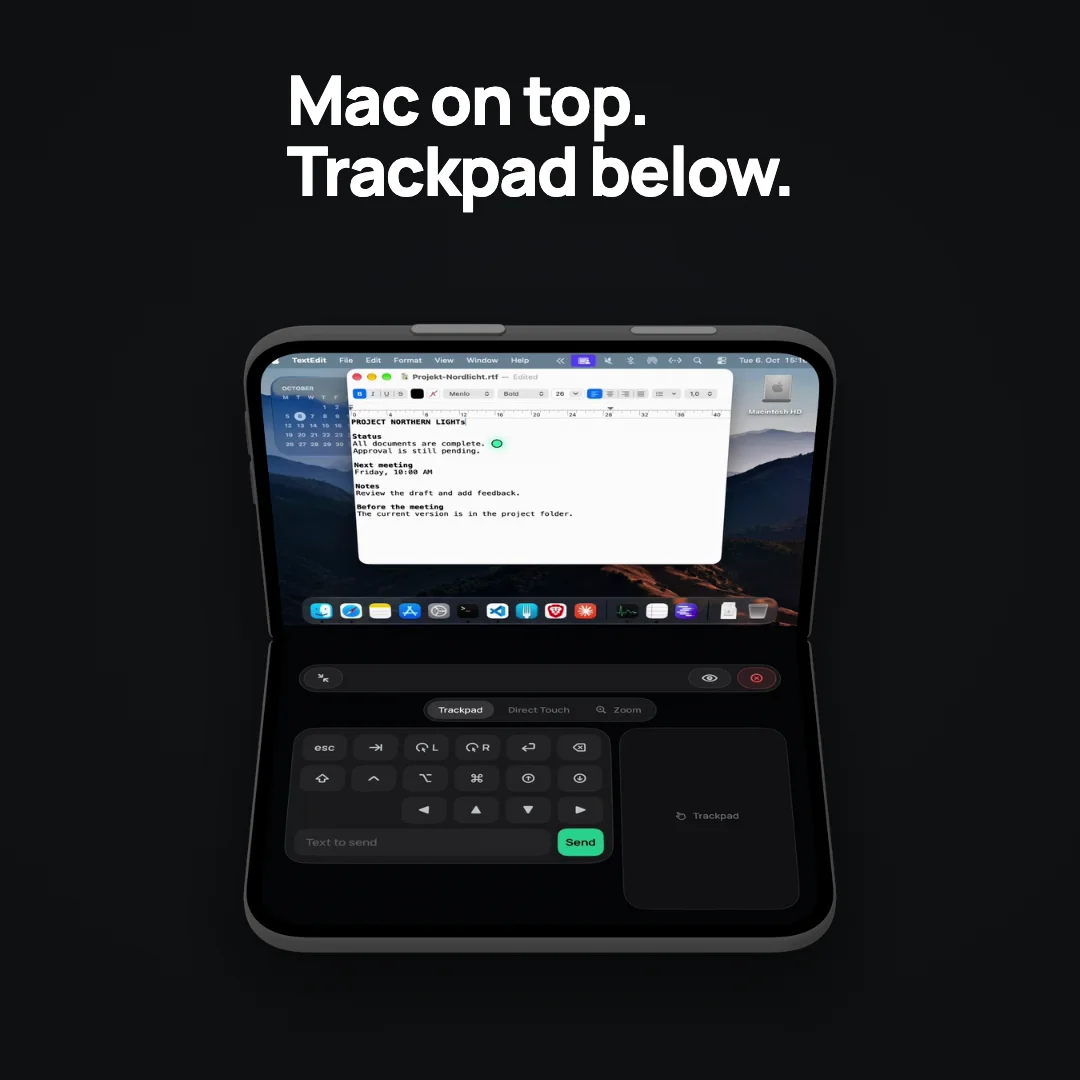
01 Connect
Your Mac. Within reach.
Bonjour finds your Mac on the local network. Tap to connect and see your desktop on iPad or iPhone.
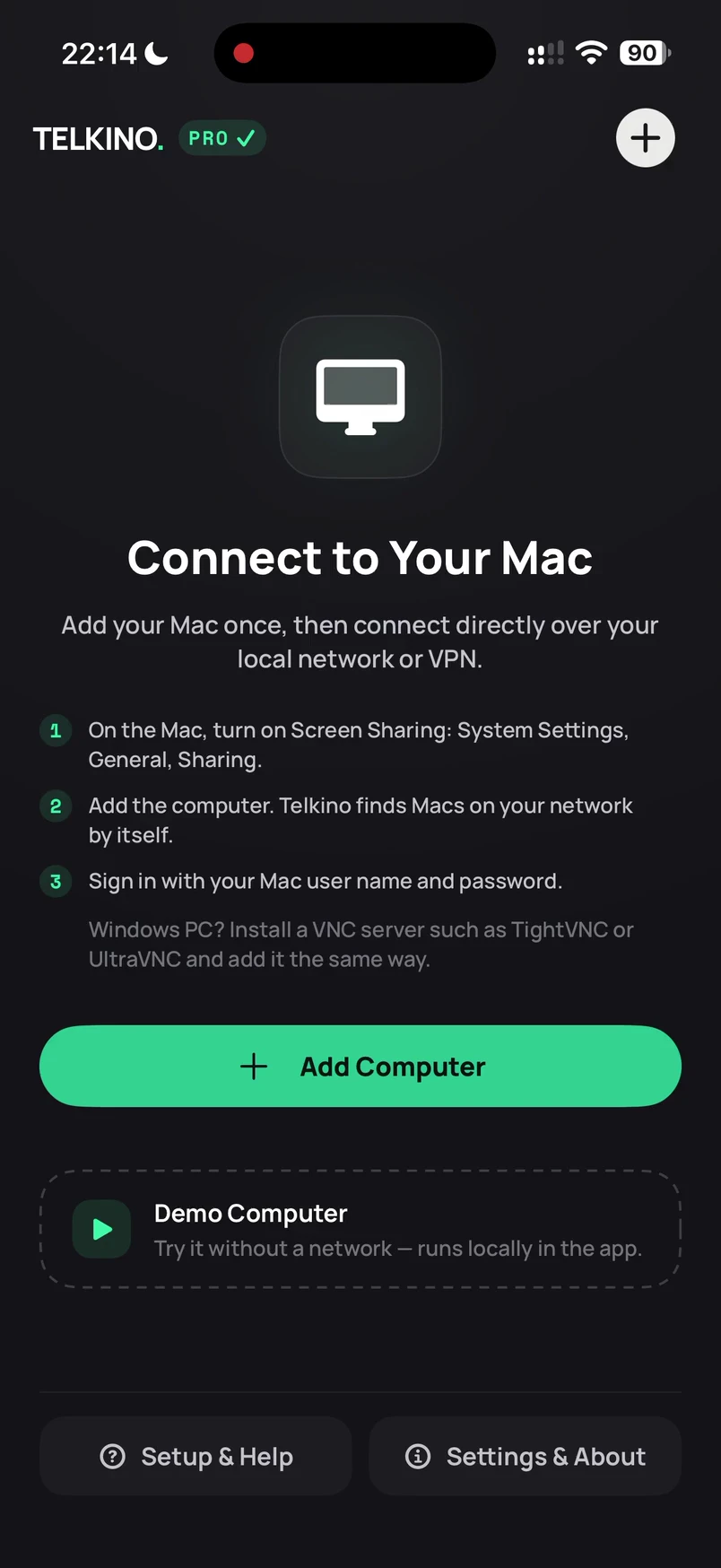
VNC client for iPhone & iPad
Telkino shows your Mac’s or PC’s screen on iPhone and iPad and lets you control it, over your own network or VPN. No account. No cloud. No tracking.
First computer free · Pro is a one-time purchase, no subscription
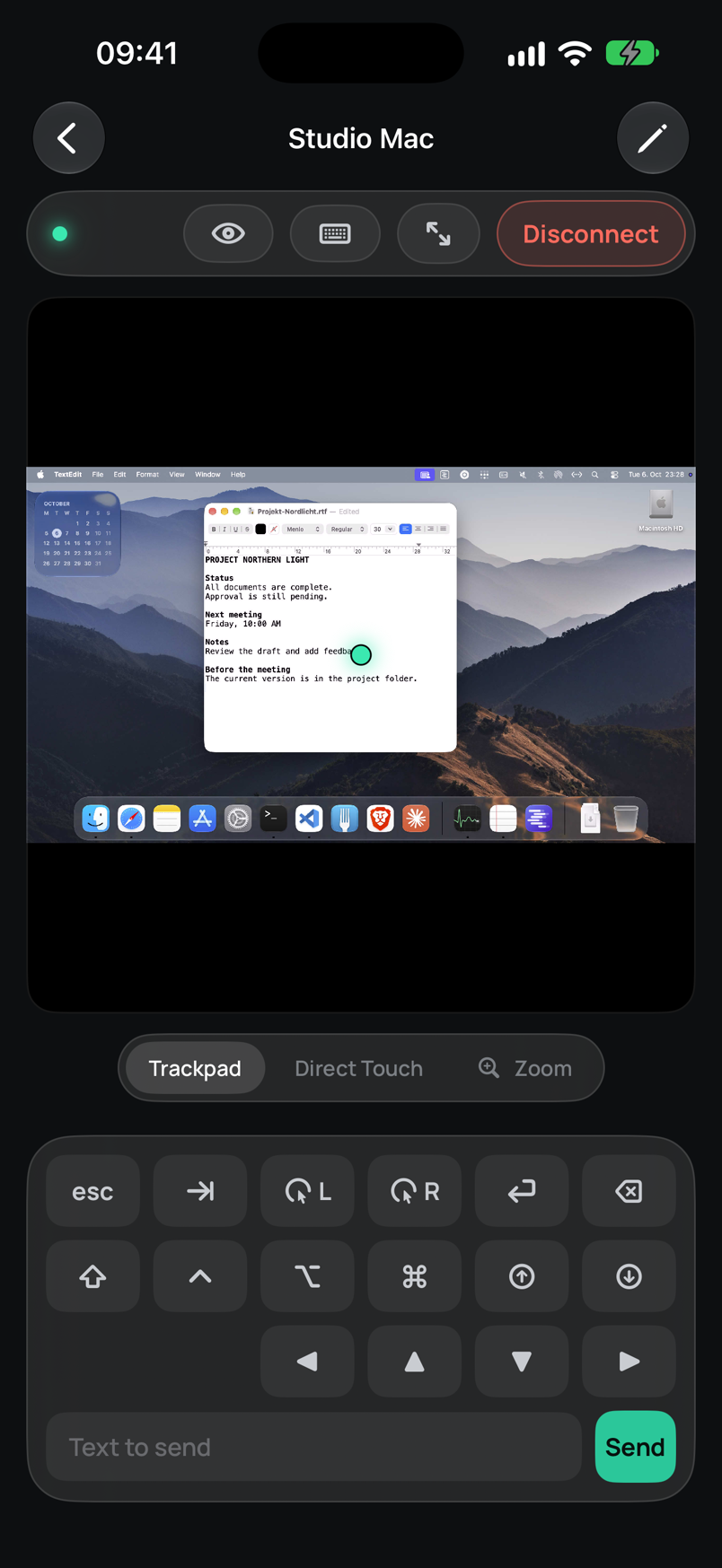
TELKINO IN ACTION
Keep working on iPad, take a quick look on iPhone.
Scroll through the features or choose a chapter.
01 Connect
Bonjour finds your Mac on the local network. Tap to connect and see your desktop on iPad or iPhone.
02 Work
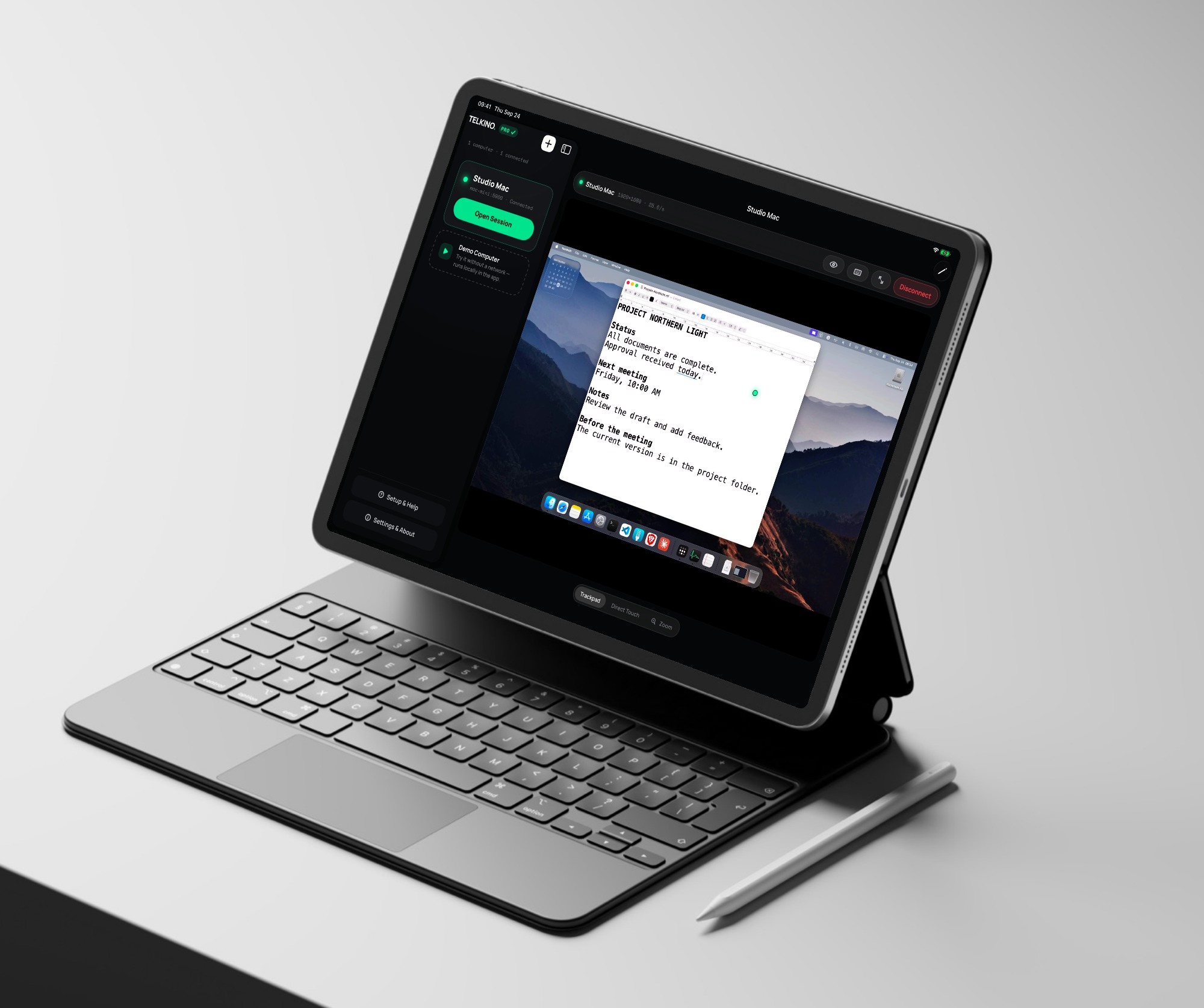
Add a note or edit a document directly on your Mac. Switch to full screen when you need more room.
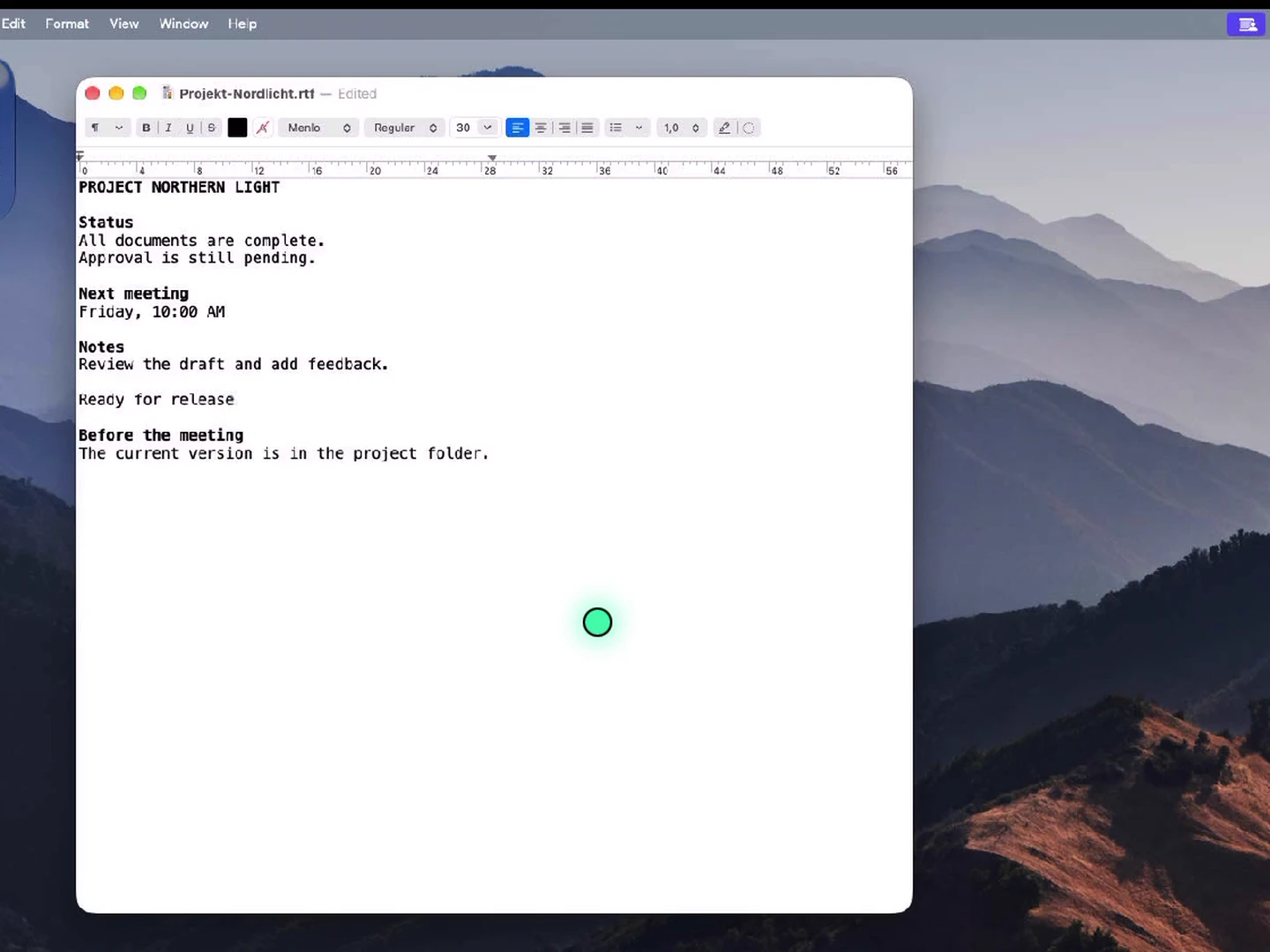
03 Keyboard and trackpad
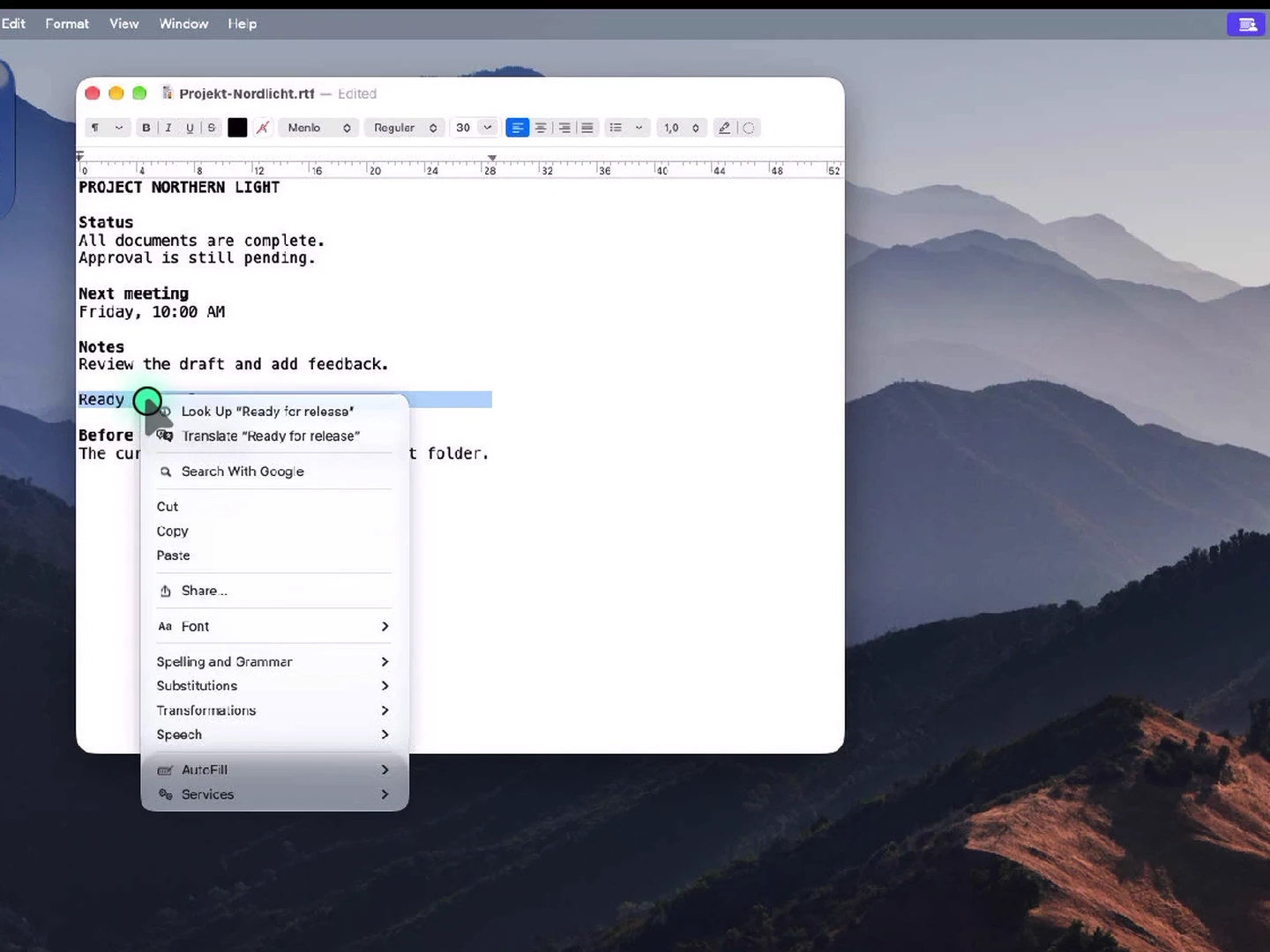
Type straight into your Mac document with a connected keyboard. Move the pointer, select text and open the context menu with a right-click on the trackpad.
04 View only
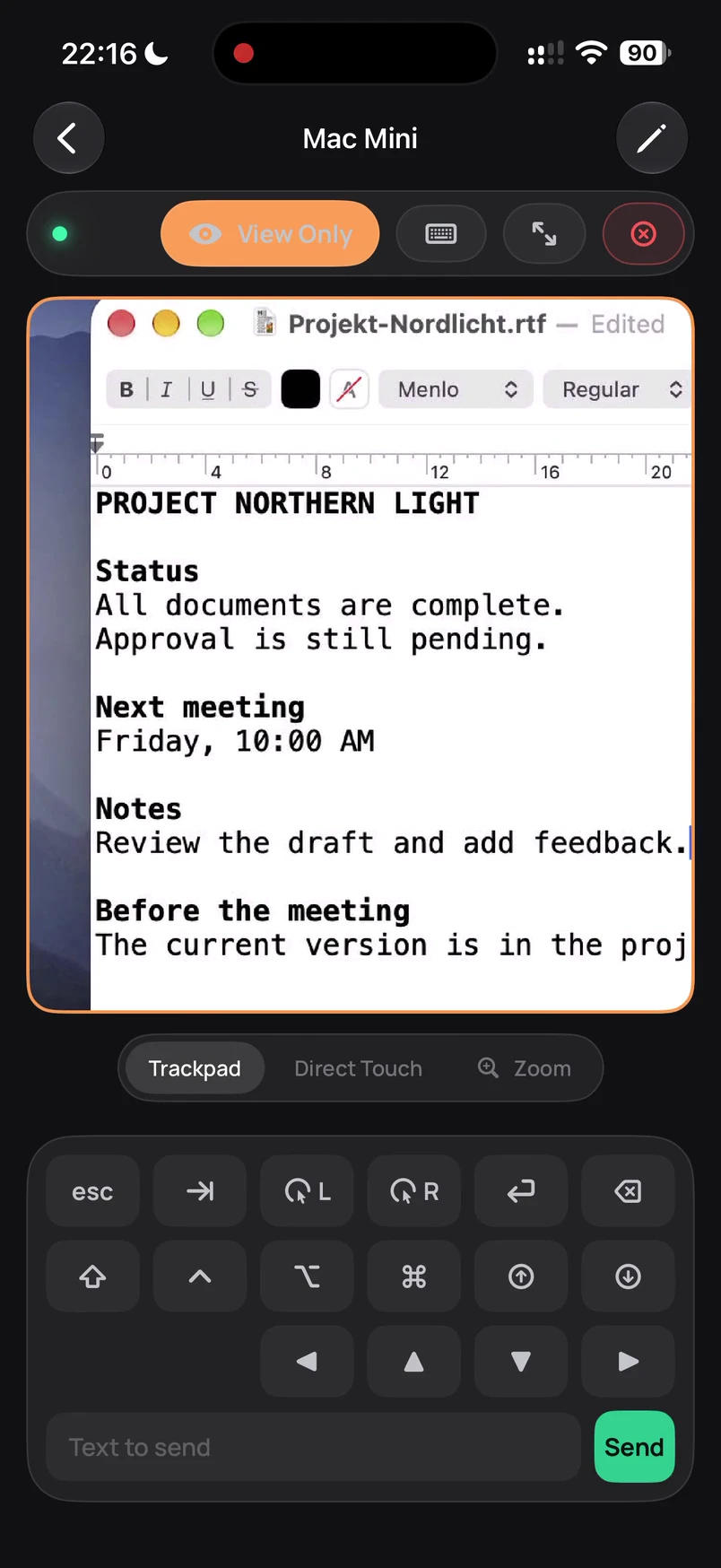
Turn on View Only and pinch to enlarge the desktop. Read the details without sending accidental input to your Mac.
Why Telkino
Many remote apps need an account, a helper app on the computer or a service of their own. Telkino speaks the open VNC protocol directly with your computer. There is no Telkino server in between.
Pixels, pointer and keyboard input only travel between your iPhone or iPad and your computer.
Nothing to sign in to, and nothing that can go down or get breached.
No analytics SDKs, no advertising IDs. The app does not even know whether you use it.
Profiles stay on the device, passwords in the system Keychain.
Setup
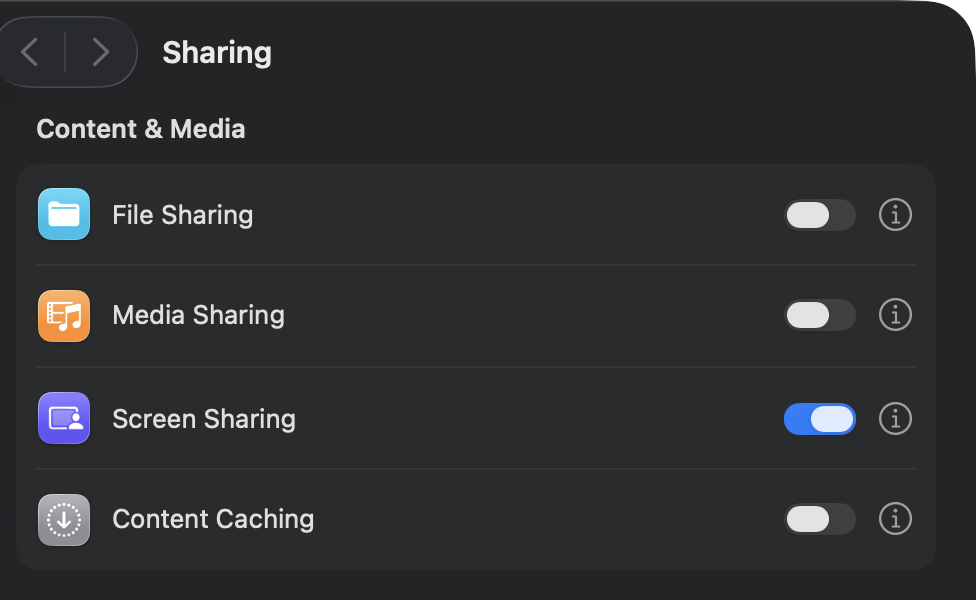
On the Mac under System Settings › General › Sharing. That is all the Mac needs. No agent, no installation.
Telkino discovers the Mac via Bonjour on the local network and fills in name, address and port. Away from home, enter its VPN address.
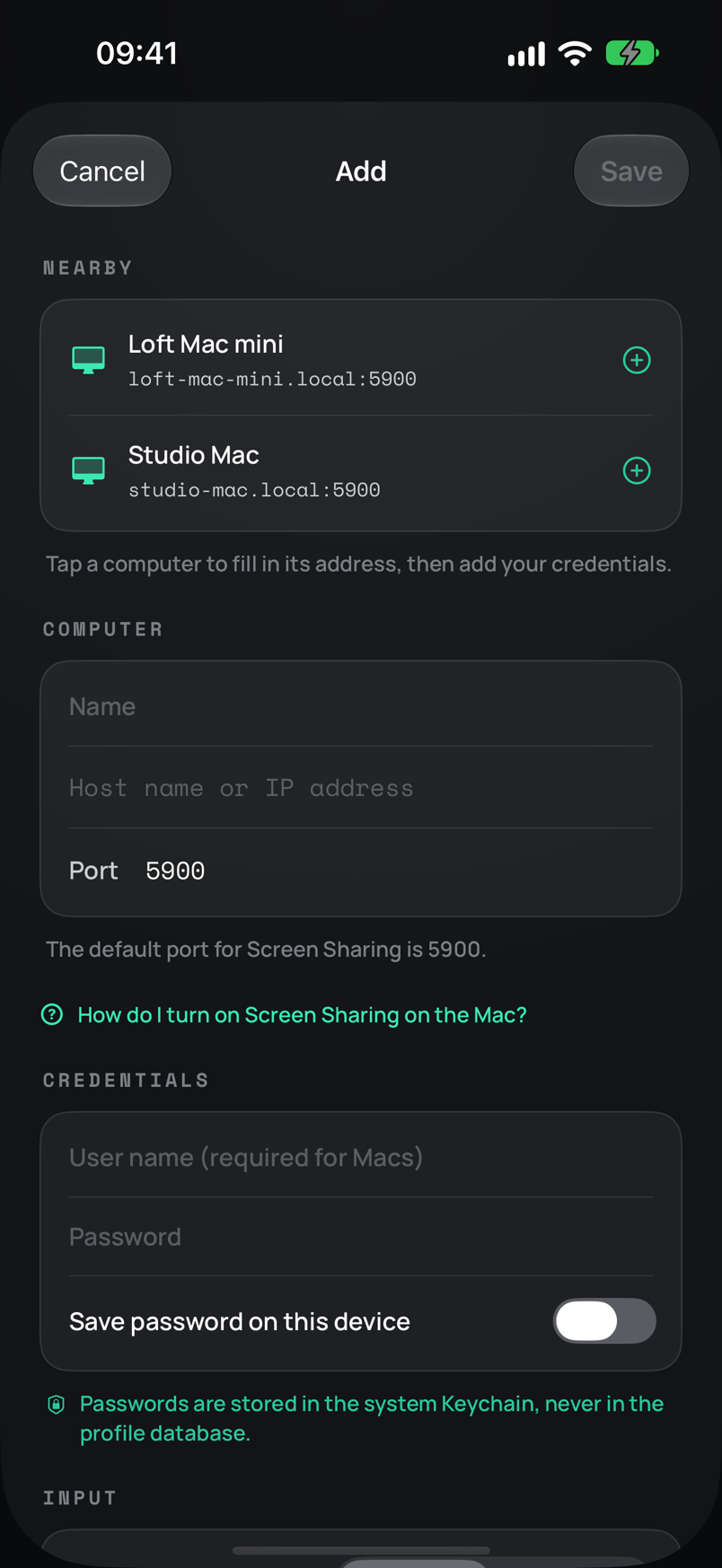
Enter your credentials, connect, control the Mac. Passwords go into the Keychain only.
Features
Move the pointer relatively like a trackpad or tap the screen directly. Pinch zoom, full screen and a key dock with ⌘ ⌥ ⌃ ⇧, Esc, Tab, scrolling. Tap the keyboard button, and every key goes straight to the computer.
Best, Balanced or Data Saver, per computer, so sessions stay smooth over VPN too.
With a VNC server such as TightVNC, UltraVNC or RealVNC you control Windows as well, clipboard included.
Try everything without a network. The demo runs locally in the app and says so. Nothing is faked.
Copied text travels both ways between device and computer while you are connected.
Wakes a sleeping Mac or PC on the same network before Telkino connects. You enter the MAC address in the profile; the Mac needs “Wake for network access” turned on.
Computer list on the left, session on the right, plus a key dock on demand. A hardware keyboard types straight into the session, a trackpad clicks, drags and scrolls precisely. On iPhone the session goes full screen.
Macs stream their screen as HEVC video at a resolution that fits your device. Telkino tries this first for every Mac and falls back to classic VNC on its own.
Reach your Mac from anywhere through Tailscale, free for personal use and set up in five minutes. Here is how. View-only mode and automatic reconnects after a network drop are on board too.
One tap on the widget connects to a computer. Small for one computer, medium for up to four.
Say “Connect to Studio in Telkino”, or use the connect action in the Shortcuts app. Telkino knows your computers by name.
For Macs with several monitors: turn on Show All Displays for a computer, and Telkino shows all of them side by side in one picture.
The name
In 1903 the Spanish engineer Leonardo Torres Quevedo patented the “Telekino”, the first device to send commands to a machine by radio. In 1906 he used it in the port of Bilbao to steer a boat with eight people on board, watched by King Alfonso XIII and an astonished crowd. The name is Greek: “tele” for far, “kino” for motion. We dropped one syllable. The idea is the same: move something from afar, directly and with nothing in between.
Pricing
Your first computer stays free forever. Unlock Telkino Pro once and keep it, with Family Sharing.
FAQ
VNC is the open protocol behind macOS Screen Sharing. Turn it on under System Settings › General › Sharing. That is all the Mac needs.
Yes, as soon as a VNC server runs on the PC (for example TightVNC, UltraVNC or RealVNC). Telkino does not support Microsoft’s Remote Desktop Protocol (RDP).
Yes, through a VPN such as Tailscale or WireGuard. Tailscale is the easiest: three steps. Then enter the computer’s VPN address. Telkino never opens ports to the internet and does not recommend it.
Recent Macs can send their Screen Sharing as HEVC video with far less data than classic VNC. Telkino uses this automatically when the Mac supports it and adapts the resolution to your device. Anyone sitting at the Mac sees that switch; the profile can turn it off. If the video path does not work, Telkino connects the usual way.
VNC itself is not automatically end-to-end encrypted. Telkino stops sessions when a server offers unauthenticated access and is meant for trusted local networks or VPNs.
The first computer is free forever. Telkino Pro is a one-time in-app purchase without subscription, with unlimited profiles, clipboard sync and Wake on LAN.
Telkino is free for one computer, needs no account and nothing on the Mac, and supports Apple High Performance. Screens and Jump Desktop offer more, for example file transfer or RDP, but cost a subscription or a paid download, and some of their features need a helper app on the Mac. The full comparison.
With clipboard sync turned on, Telkino reads the clipboard to forward copied text. iOS shows its usual paste notice for that. This is expected.
Support
Write to support@telkino.app. The in-app help walks through setup, network and input step by step.
Download on the App Store