New for iPhone Duo
Your Mac. On iPhone Duo.
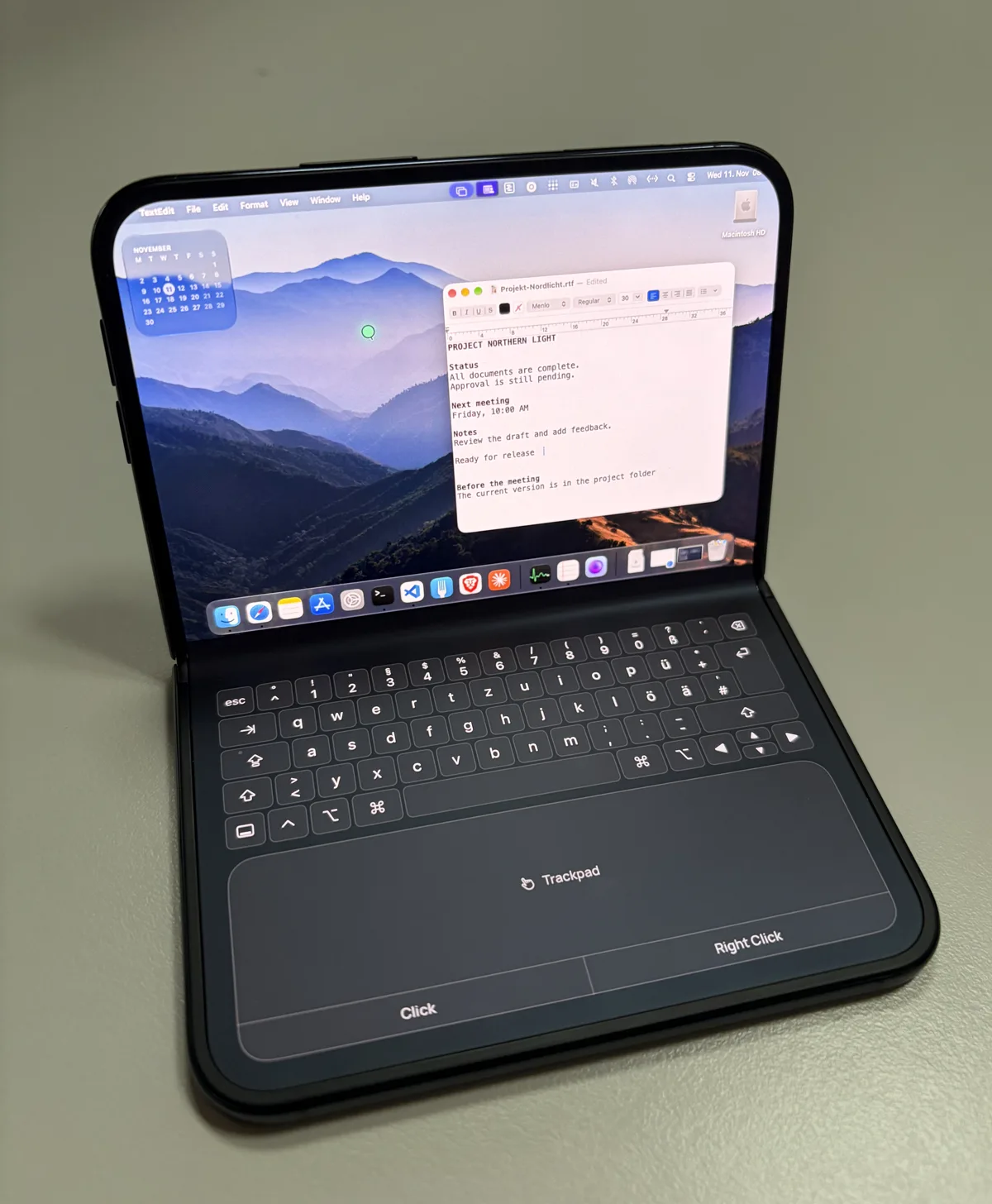
Stand iPhone Duo up like a laptop. Your Mac fills the top screen, and you control it with the Mac keyboard and the trackpad below.
One app for iPhone, iPad and iPhone Duo
Laptop mode
Fold it and get going.
Your Mac on top
As soon as you stand iPhone Duo up like a laptop, Telkino switches to full screen and splits the view. The top half belongs to your Mac.
A Mac keyboard in your language
The lower half shows a Mac keyboard with Esc, Tab, arrow keys and ⌘ ⌥ ⌃ ⇧. It comes in the US, German, French, Spanish, Italian and Brazilian layouts. Every key goes straight to your Mac.
Shortcuts with one finger
Tap ⌘, ⌥, ⌃ or ⇧ once, and it applies to the next key or click. Tap it twice to hold it.
Trackpad with click zones
One finger moves the pointer, a tap clicks, two fingers scroll. Along the bottom edge are zones for click and right click, placed for your thumb.
Drag like on a Mac
Double-tap and drag moves windows and selects text. While you drag, a magnifier shows what is under your finger.
Key dock or hardware keyboard
One key swaps the Mac keyboard for a larger trackpad with the key dock and the text field. With a hardware keyboard connected, Telkino does that on its own.
Lay iPhone Duo flat again and full screen stays on, with the Mac filling the whole display.
For the press
Video and assets
Download the video: MP4, 1080 × 1080, 8 seconds, silent. Photos, facts, screenshots and the icon are in the press kit.
Download on the App Store